Accelerometer
What is an Accelerometer?
An accelerometer is a scientific instrument used to measure the proper acceleration of a body along the X, Y, and Z axes.
Experiment: Measuring Acceleration
Learning Objectives
To find the acceleration of a body along different axes in real-time.
Materials Required
- Your Phone or Computer
- The PSLab App installed
Procedure
- Open the PSLab app.
- Navigate to the Instruments section and select the Accelerometer.
-
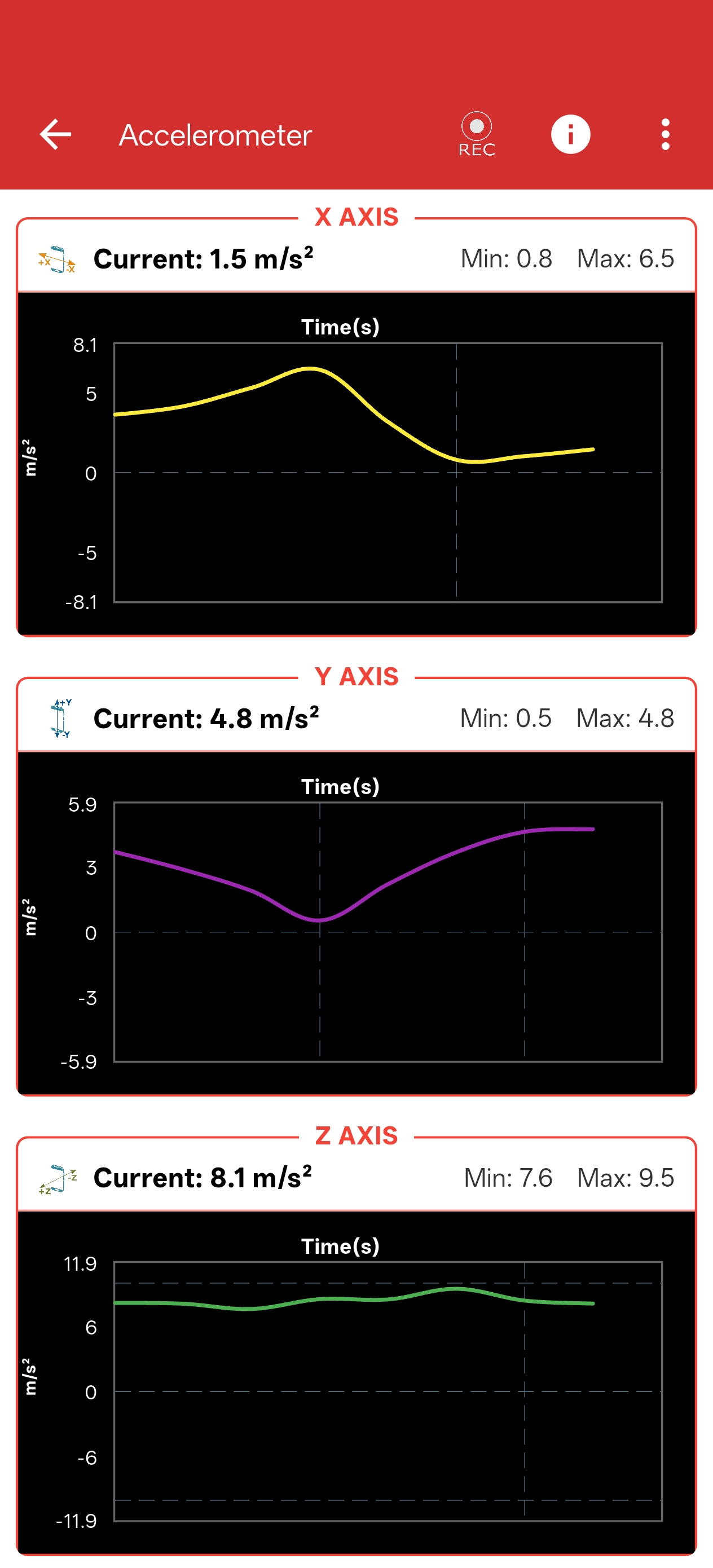
You will see three real-time graphs representing acceleration along the X-axis, Y-axis, and Z-axis.
-
You can configure the Accelerometer (update period, sensor gain, etc.) using the settings menu in the top right corner.
- Move your device in various directions (up/down, left/right, forward/backward) to observe the changes along each respective axis.
Observations
- As you move the device along different axes, you will immediately see a corresponding change in the acceleration data on the respective tabs.
- The acceleration is represented cleanly in both numerical form and as a continuous scrolling graph for easy analysis.